¶ Updating Firmware
As with everything electronic, we will occationally release new firmware. This guide shows you how to update the internal computer and the PRO display for better performance and stability.
¶ Downloads
 Firmware Download the latest firmware for the RC4-CRB/PRO here.
We might provide you with the firmware you need, in that case do not use the above.
-
Download the zip files containing the firmware and updater tool. (Flash_Tool.ZIP & RC4_PRO_FIRMWARE_vX.ZIP)
-
UnZip the files to any folder.
¶ Updating the telemetry firmware (Top USB)
The RC4-CRB and PRO platform comes with two internal computers; One to control the telemetry and one to control Game Dash.
Let's update the telemetry computer first.
-
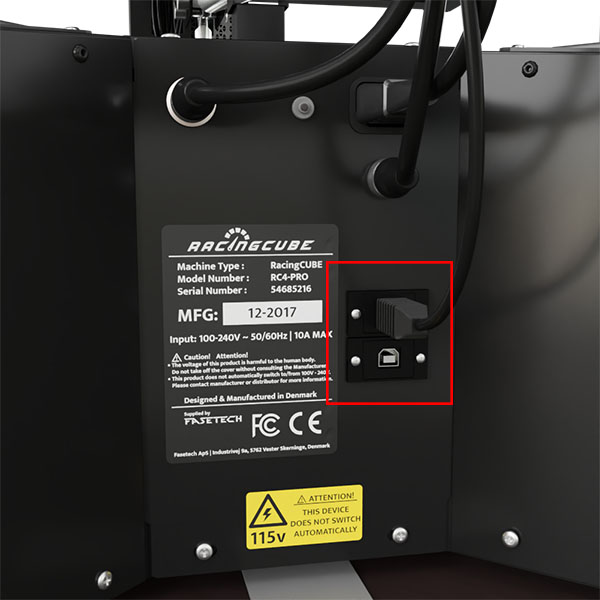
The top USB is for the telemetry board, and to make sure we update the correct board, please take out the bottom USB as shown in the picture
-
Go to the folder where you previously unZipped the two folders and click on the flash_download_tool folder. Then click on the .exe file to start the program.
Windows might warn you that the program is not signed by them, just click 'More info' and then 'Run anyway'. -
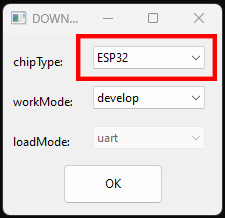
You will see the below window, choose ESP32 as shown. Click OK.
-
When the program opens, you will see two windows. We will explain the black CMD window a bit later, now we focus on the Window with user interface.
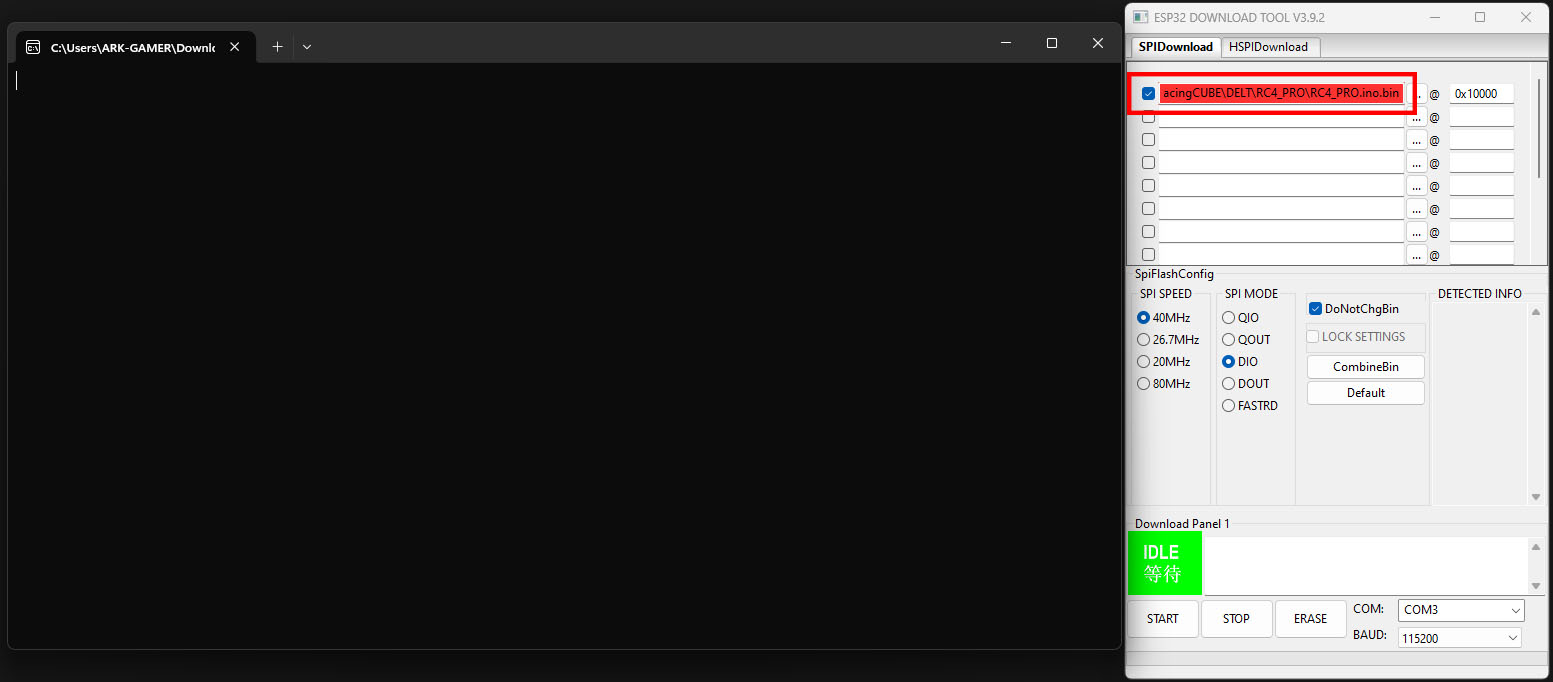
In the marked area, you will need to select the update file. In this case it's called 'RC4_Servo drive.bin'. -
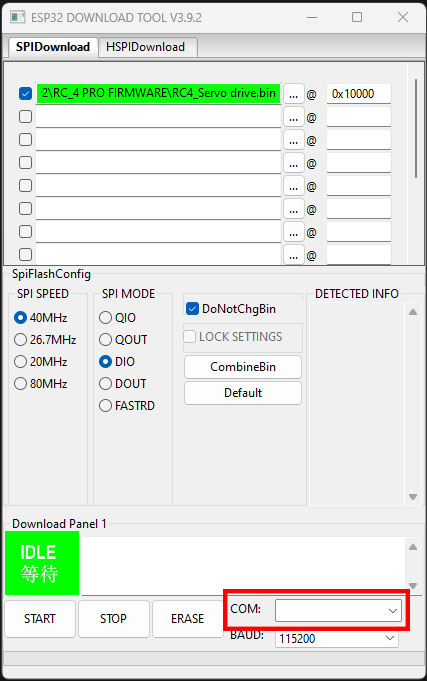
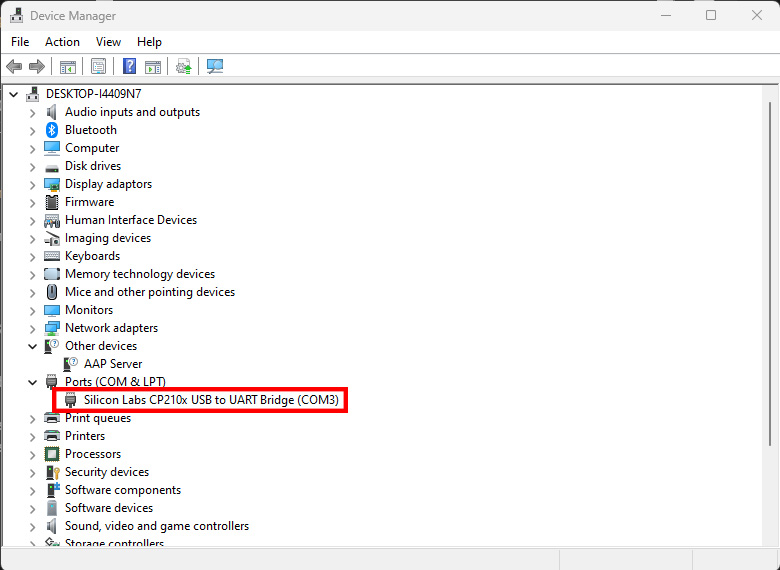
Now we need to select the correct COM port. If you have a lot of accessories attached to your computer and you are unsure what COM ports you need to use, you can check for the correct ones in Device Manager.
- Click WIN + X and click on Device Manager.
- Find the Silicon Labs Chip, it is the simulators interface.
- You can see the COM number here and apply them in the Updating Tool.
- You are now ready to flash the firmware. Press Start in the lower left corner.
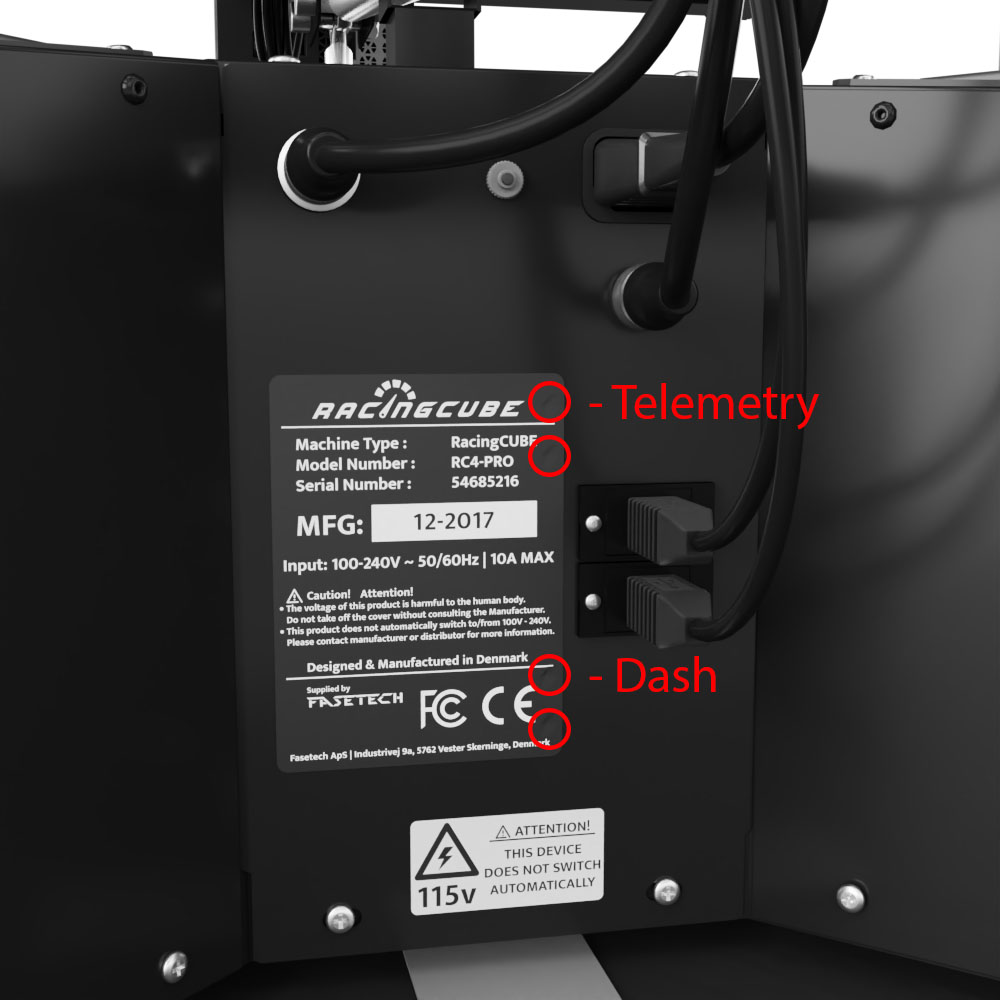
NOTE: Keep an eye on the black screen as it will be filled with text. If it says 'is stub and send flash finish' you're done. However if it keeps adding dots (.........) you will need to press the telemetry button on the front panel. On the below picture, you can see 4 circles. The one we are interested in is the top one. It is located behind the sticker but you can poke a hole in it. While the dots are still appearing, press the button and it will then finish.
This is a safety measure to make sure firmware for other products are not uploaded.
- Once you have updated the firmware succesfully, you need to unplug and re-insert the USB again.
- Note, If you did not unplug the bottom USB you need to unplug and re-insert that as well.
¶ Updating the Dash firmware (Bottom USB)
We have not yet released an update to the Dash. Once we do that, this section will be updated.
¶ Updating the Display
This one is much easier and only requires an SD card.
- Turn off the platform on the E-Stop.
- Format the SD card in Fat32 format (Default)
- Upload the file to the empty SD card. Nothing else can be on it.
- Insert the SD card into the Display (there is a slot op top of the display)
- Turn on the platform on the E-Stop. Wait for it to boot up.
- To make sure all settings are correct, on the display go to 'Settings/profile and press the reset! button.
- Restart the platform again.
The display has now been updated.